
777 Casino Login
Log in to 777 Casino from New Zealand: simple steps, what to do when sign-in fails, common problems and quick fixes, plus answers to frequent questions.
How to log in to 777 Casino step by step
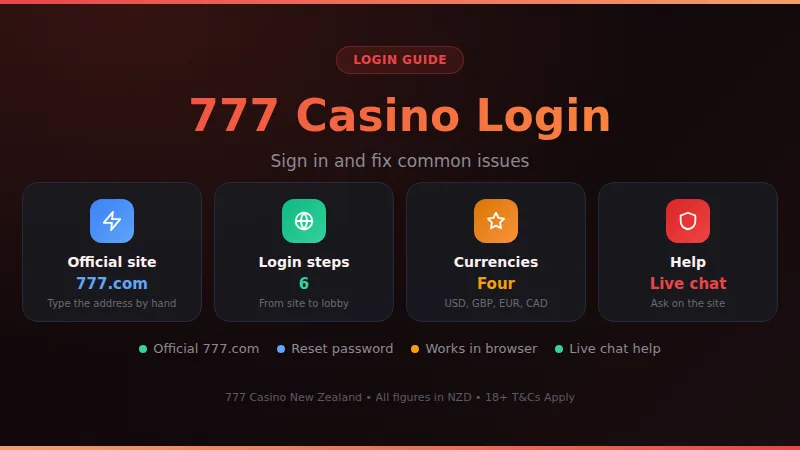
To log in to 777 Casino, open the official site at 777.com, choose the login option, enter the email or username and password from registration, and confirm. If it fails, check caps lock, reset the password, clear the browser cache, and message live chat if the account stays locked.
Signing in to 777 Casino takes about a minute once you know where everything sits. The site runs in your browser, so there is nothing to install: you open the official address, enter the details you chose at registration, and you land in the lobby with your balance, the cashier and the promotions page one tap away. The six steps below work the same way on a laptop and on a phone.
Step 1
Open the official site
Type 777.com into the address bar yourself instead of following a link from an email, a message or an ad. Check that the address reads 777.com and that the browser shows the padlock.
Step 2
Find the login option
Look for the login button in the top area of the home page. On a phone it may sit behind the menu icon, so open the menu first if you cannot see it.
Step 3
Enter your details
Type the email or username and the password you set at registration. If you paste them, check that no blank space came along at the end, because that is a very common reason for a rejected login.
Step 4
Finish any extra check
If the site asks for an additional security step, complete it before moving on. Keep your phone or email app close in case a message arrives.
Step 5
Confirm and open the lobby
Press the confirm button once and wait for the page to load. A successful login takes you to the lobby, where your balance and the cashier are available.
Step 6
Log out on shared devices
When you finish playing on a work, family or public device, use the log out option rather than just closing the tab, and never tick any remember-me option there.
Annotated screenshots of the login window and the lobby after sign-in, so you can see where each field and button sits before you try it yourself.
Your account is held in the currency you picked when you registered. The bonus policy of 777.com lists four account currencies: US dollars, pounds, euros and Canadian dollars. Logging in does not change that, so the balance you see after sign-in is simply the one you opened the account with.
Logging in from a phone or a new device
777 Casino works through the browser on your phone, using standard HTML5, so you do not need to look for an app in the store to sign in. Open Safari, Chrome or whichever browser you normally use, go to 777.com and follow the same steps as on a computer. The login option may be tucked behind a menu icon on a small screen, but the fields and the buttons are the same.
- Use the browser you already trust and keep it updated, since old versions are the usual cause of pages that never finish loading.
- Save the official address as a bookmark on your home screen so you always start from the right place.
- Switch off any translation or autofill extension if it changes what you type into the password field.
- Use mobile data or a different Wi-Fi network if the page does not load on one connection.
- Log in once on the new device while you still have access to the email address on your account.
What to do if login does not work
Most failed logins come down to something small: a wrong letter, a stale page or a browser that remembered an old password. Work through the fixes in the order below, from the quickest to the one that needs the support team. Do not keep guessing passwords over and over, because repeated wrong attempts can make a short lockout last longer than it needs to.
-
1
Check the basics
Look at caps lock, the keyboard language and the email or username for typos. Show the password in the field if the page allows it, and read it back slowly.
-
2
Reload the official page
Close the tab, open 777.com again and try once more. A page that was left open for hours can hold an old session that no longer works.
-
3
Clear cache and cookies
Clear the cache and cookies for the site in your browser settings, restart the browser and sign in again. Try a private window if you want a quick test.
-
4
Reset the password
Use the forgotten password option in the login window, follow the instructions in the message you receive, and choose a new password you have not used before.
-
5
Try another network or device
Switch from Wi-Fi to mobile data, or the other way round, and try a different browser. This rules out a blocked connection or a faulty extension.
-
6
Contact live chat
If the account still does not open, write to live chat on the site and describe what you see. Mention the exact message on the screen and the time it appeared.
Common login problems
| Problem | Likely cause | Quick fix |
|---|---|---|
| Wrong password | Old password | Reset password |
| Page not loading | Weak connection | Change network |
| Button does nothing | Old browser | Update browser |
| Login looks stuck | Cached data | Clear cache |
| No reset message | Wrong email | Check spam folder |
| Account locked | Many attempts | Ask live chat |
The table is a quick map: find the symptom on the left and follow the fix on the right. A wrong password is often just a typo or a password you changed long ago, and a page that does not load usually points to a weak connection. The next section covers the same problems in a little more detail, including what to say to support if the fix does not work.
Password not accepted
Retype it slowly, check caps lock and the keyboard language, and then use the reset option. A fresh password you have not used elsewhere is also a safer choice.
Reset message not arriving
Look in the spam or promotions folder and make sure you are checking the same email address that you used at registration. Wait a few minutes before asking again.
Site will not open
Check your internet connection first, then try another browser or network. If other websites work but 777.com does not, read the guide on whether the site is down.
Login works but nothing loads
This is usually a cache problem. Clear the cookies for the site, restart the browser and sign in again. A private window helps you test it quickly.
Account asks for checks
After you sign in, the site may ask for documents before some actions. Our page on account verification explains what that step is and how to prepare.
Keeping your account safe
A login is only as secure as the password behind it. Pick something long that you do not use on any other website, keep it in a password manager rather than in your notes app, and never share it, even with someone who says they work for the casino. Real support staff do not need your password to help you.
- Type the address 777.com yourself and avoid sign-in pages reached from unknown messages.
- Use a different password from your email, since email is where reset messages arrive.
- Keep your browser and phone updated and log out on shared devices.
- Deposit only with your own payment methods, and use a debit card rather than a credit card, because a credit card deposit counts as a cash advance in New Zealand.
- Check your balance and recent activity each time you sign in, and tell live chat if anything looks wrong.
-
Official site 777.com
-
Account currencies USD, GBP, EUR, CAD
-
Access Browser, no app needed
-
Help Live chat on the site
-
Platform Part of the 888 group
Logging in should be a calm start to a session. If play stops being fun, or you want to talk to someone, free and confidential support is available in New Zealand through the Gambling Helpline and pgf.nz. Taking a break is always a sensible choice.
After you log in: where to go next
Once you are inside the account, the lobby offers games from several studios, and the most useful pages on this site cover the cashier and the practical questions that tend to come up in the first days.
Evolution
Red Baron Live, Red Baron RNG, American Roulette by Evolution
Playtech
4 Cash Planes: Multiplayer, Busted or Bailed, Cash It
Play'n GO
Book of Dead, Captain Xeno's Earth Adventure, Cat Wilde and the Lost Chapter
NetEnt
Big Money Wheel, Babylon Riches, Beach Invaders
- See which methods you can use on the payment methods page.
- Check the starting amount on the minimum deposit page.
- Learn how long payouts take on the withdrawal times page.
- Read what a delayed request means on the withdrawal pending page.
- Find out how account checks work on the verification page.
How we checked this guide
This guide was prepared in late October 2026 and rechecked against the official site of 777 Casino. We opened 777.com from a New Zealand connection, read the promotions page and the bonus policy in English, and used them for the points about account currencies, live chat and bonus rules. We wrote the sign-in steps in the same order a player meets them on the screen.
Casino sites change their pages from time to time, so a button may move or get a new label. The order of the steps stays the same, and live chat on the site can confirm anything that looks different on your screen. You can also read more about us and how this site works.
Login questions answered
How do I log in to 777 Casino from New Zealand?
Open 777.com in your browser, choose the login option on the home page, type the email or username and the password you used at registration, and confirm. After a successful sign-in you arrive in the lobby. If a security step appears, complete it before you continue.
I forgot my password. What should I do?
Use the forgotten password option in the login window and follow the instructions in the message that arrives. If the message does not appear, check the spam folder and make sure you entered the email address linked to your account. Choose a new password that you do not use anywhere else.
Do I need an app to log in on my phone?
No. 777 Casino works in the mobile browser using HTML5, so you can open 777.com in Safari, Chrome or another browser and sign in the same way as on a computer. Bookmarking the site on your home screen makes it quick to reach next time.
Why does the login page not load?
Usually the cause is a weak connection, an old browser or cached data. Reload the page, clear the cache and cookies for the site, and try mobile data or another browser. If the whole site does not respond, check our page on whether the site is down.
Can I open a second account if I cannot log in?
It is better not to. The bonus policy of 777.com allows one bonus per household, and a second account can create problems for the first one. Contact live chat, explain what happens when you try to sign in, and ask the team to help you recover the original account.
Will I need to verify my account after I log in?
The site may ask you to confirm details or documents before some actions, such as a withdrawal. It is easier to prepare in advance, so read our verification guide and keep your documents clear and up to date.
Which currency will my balance show after I sign in?
Your balance appears in the currency you chose when you opened the account. The bonus policy of 777.com lists US dollars, pounds, euros and Canadian dollars as the account currencies, so the amounts you see after login follow that choice.
Try 777 Casino in NZD
Open the lobby, check the cashier in New Zealand dollars and set your own limits before you deposit.
18+ • Play Responsibly • Terms & Conditions Apply